 Kasly
Sales and shifts
- Sales and returns with mixed payment methods
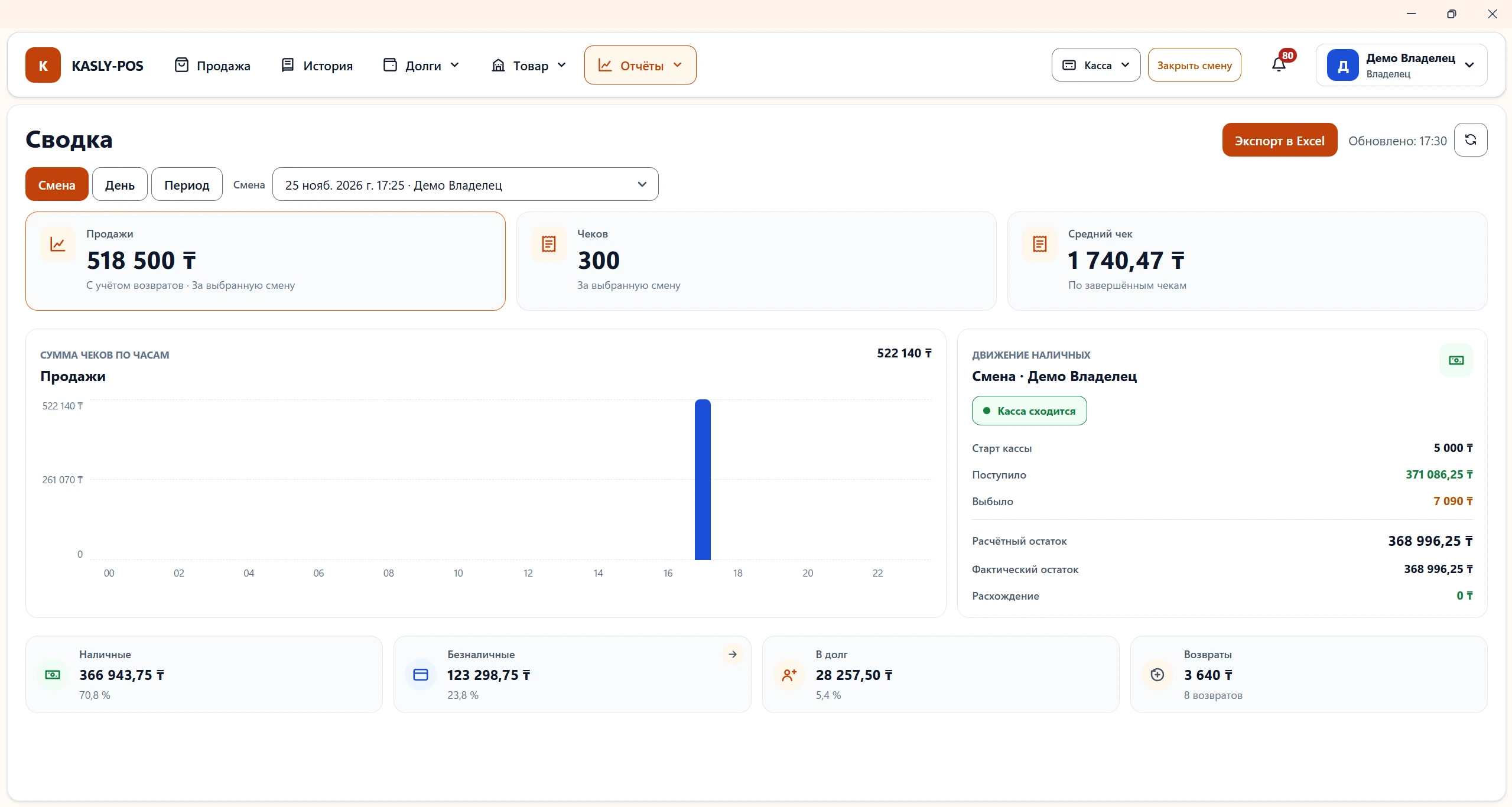
- Shifts, cashiers, and staff roles
- Products sold by unit or weight
For small shops · Windows
Kasly POS Microsoft Store page
Sales, stock, purchasing, and shop finances in one app. Core local workflows do not require a constant internet connection.
Free indefinitely for commercial use: one shop, one register, with no staff limit. No trial period; support is free.
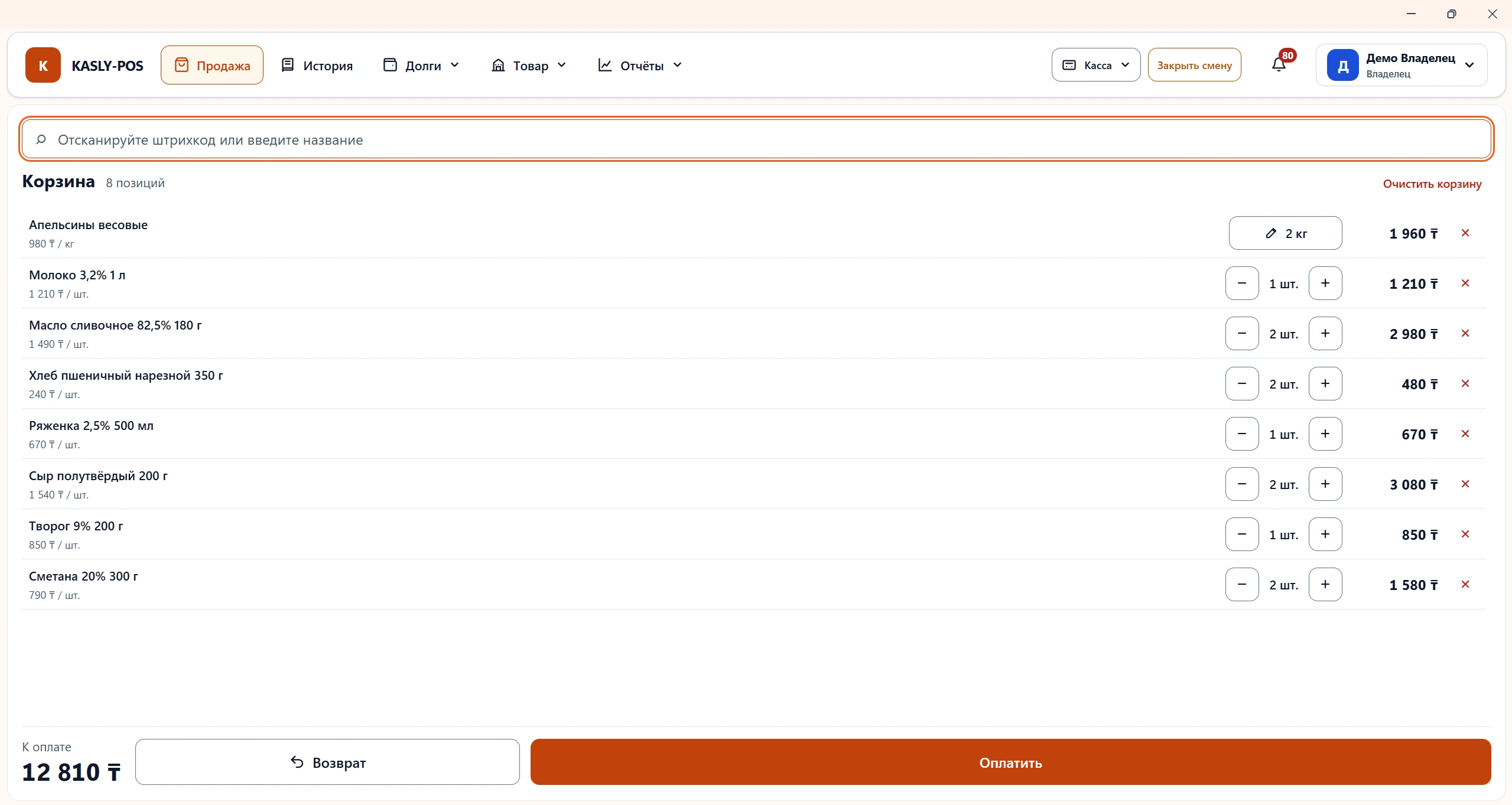
Screenshots show the Russian-language interface and demonstration data.
Sales and records run locally; some integrations need an internet connection.
In the current desktop app, data and backups are stored locally.
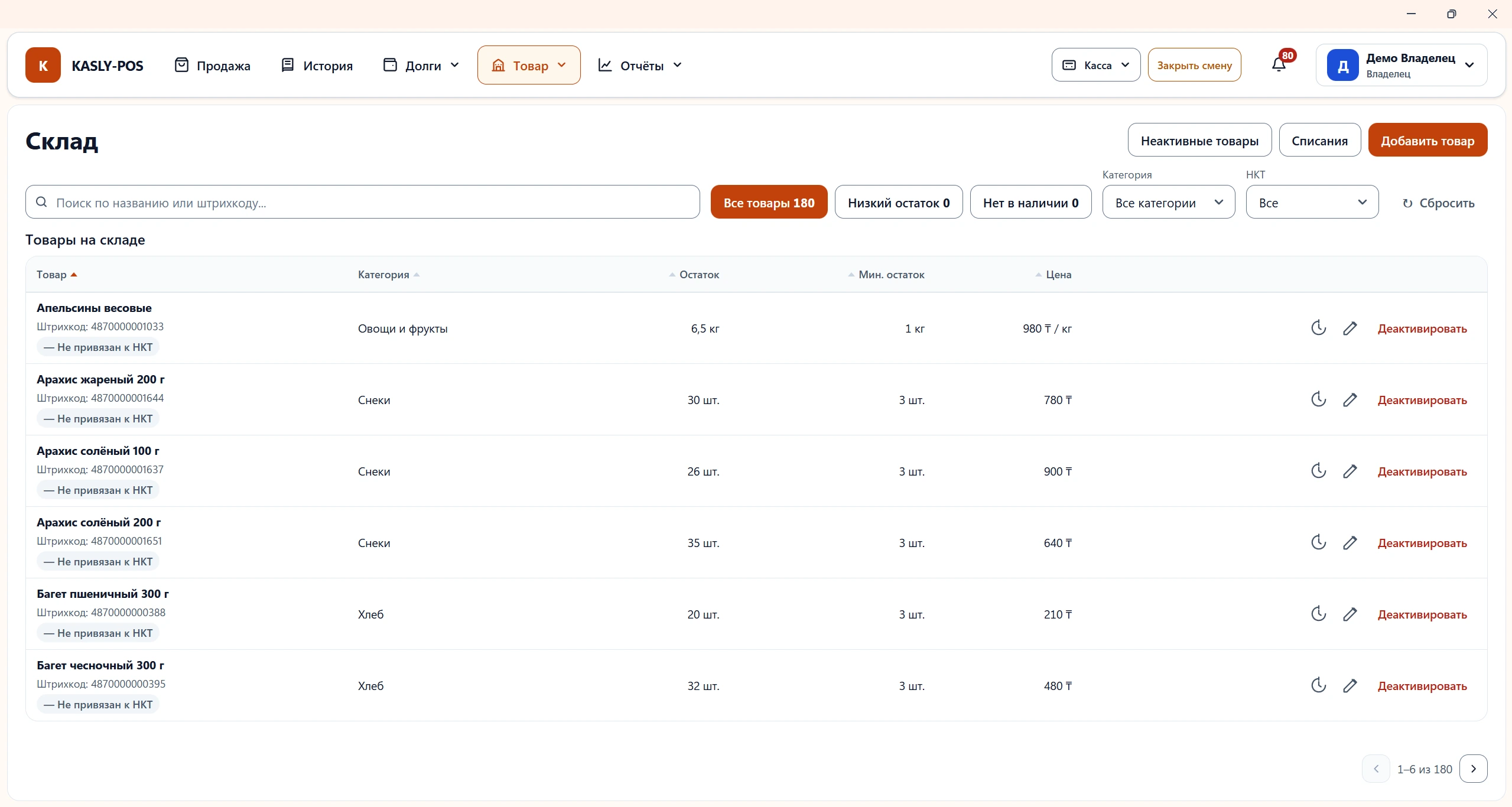
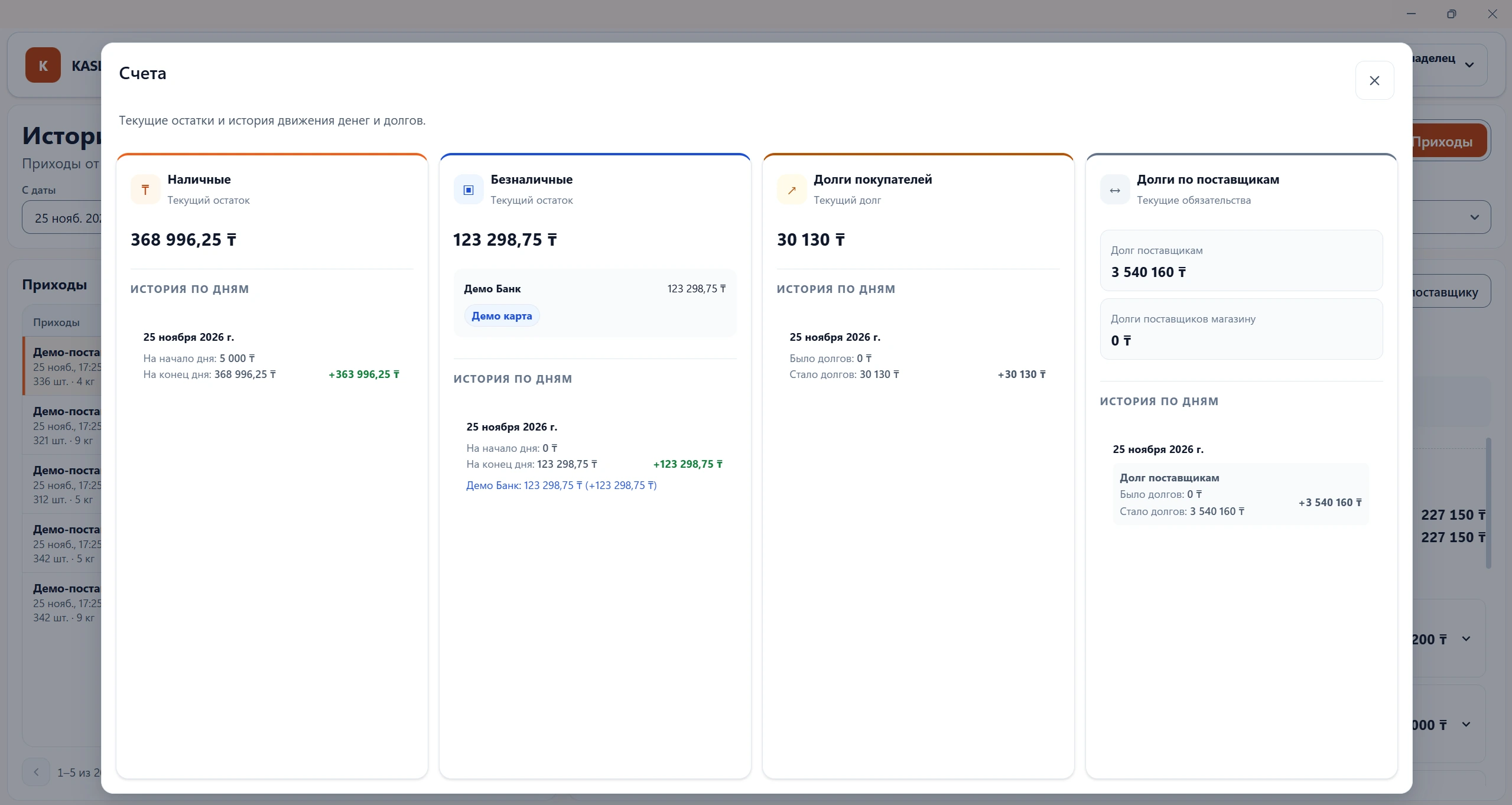
Products, stock, purchasing, and financial operations come together in one app.
Free indefinitely for commercial use: one shop, one register, and no staff limit, with no trial period. Support is free. Separate paid tiers for additional shops and registers are planned for the future, but are not available yet; prices and timing are undecided.
Sales, stock, and oversight
Kasly POS does not replace a registered fiscal cash register. Use a separate registered device wherever required by law.
Screenshots show the Russian-language interface and demonstration data.
For Windows
Open the Kasly POS page in Microsoft Store and check installation availability and terms for your region.
If the Microsoft Store app does not open, use the web page.
Future directions
These are future directions, not features in the current version. Timing and terms have not been announced.
Sync data and backups between devices.
An owner portal for checking shop reports away from the register.
Help process invoice details from photos through a cloud service.
A platform connecting shops with suppliers.
Product and access information
Core local workflows, including sales and records, work without a constant connection. Some integrations, such as NKT search, use the internet.
The base model is free indefinitely for commercial use: one shop, one register, and no staff limit, with no trial period. Technical support is free. Separate paid tiers for additional shops and registers are planned for the future, but are not available yet; prices and timing are undecided.
Kasly POS is a Windows app. Check the Microsoft Store listing for system requirements and device compatibility; support for other operating systems is not claimed.
The current desktop app stores working data on the device. Local backup and restore are available. Network integrations exchange data over the internet.
No. Kasly POS does not replace a registered fiscal cash register or provide fiscalization on its own.
A remote owner portal is a possible future direction, but it is not available now.
Use the web link above to check installation availability and terms. On Windows, you can also try the Store app link; if it does not open, use the web page.
Get in touch
Contact us with questions about installation, the app, the pilot, or feedback.
Email us[email protected]